JavaForBeginners
Working with Data Types


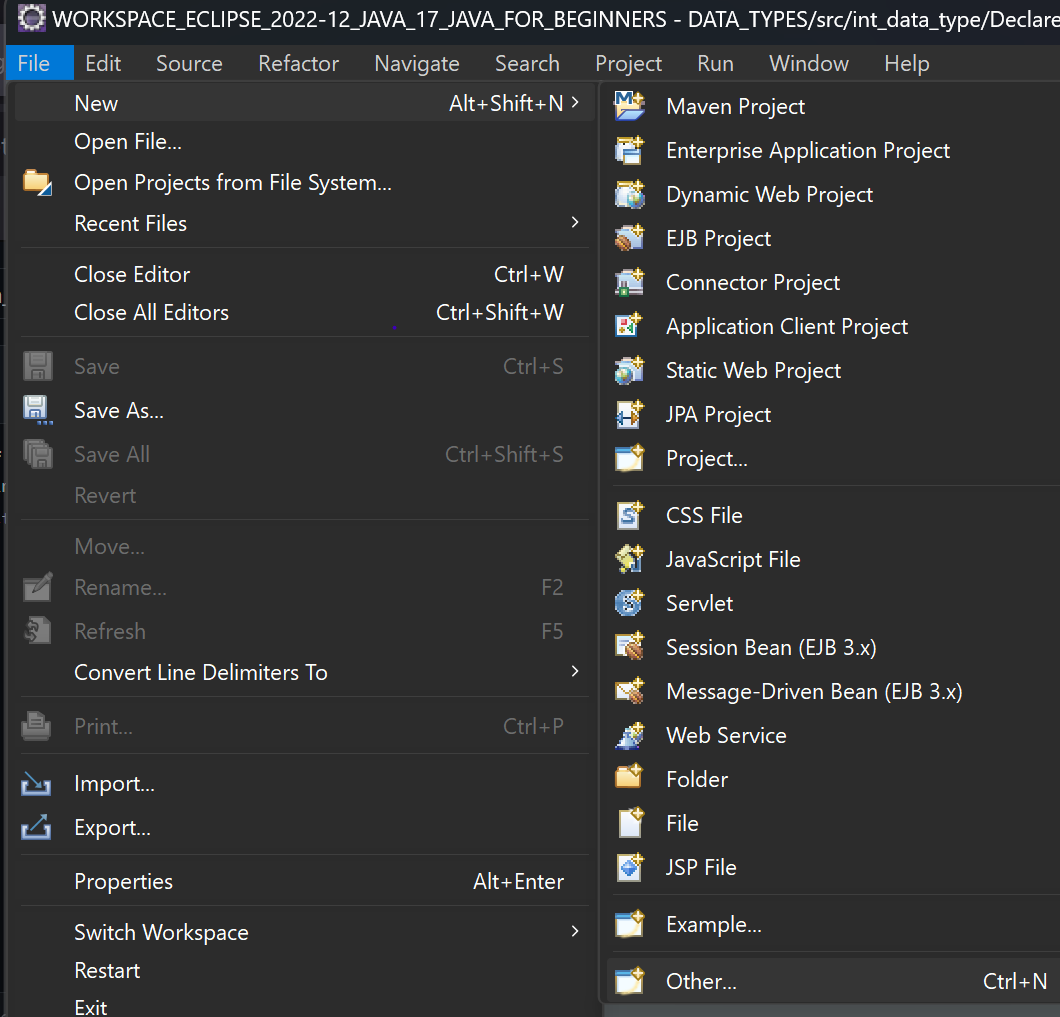
- Open the eclipse IDE installed earlier and go to the file menu.
- Select new and then other.
-
In the dialogue window search field, enter class and select the result.
-
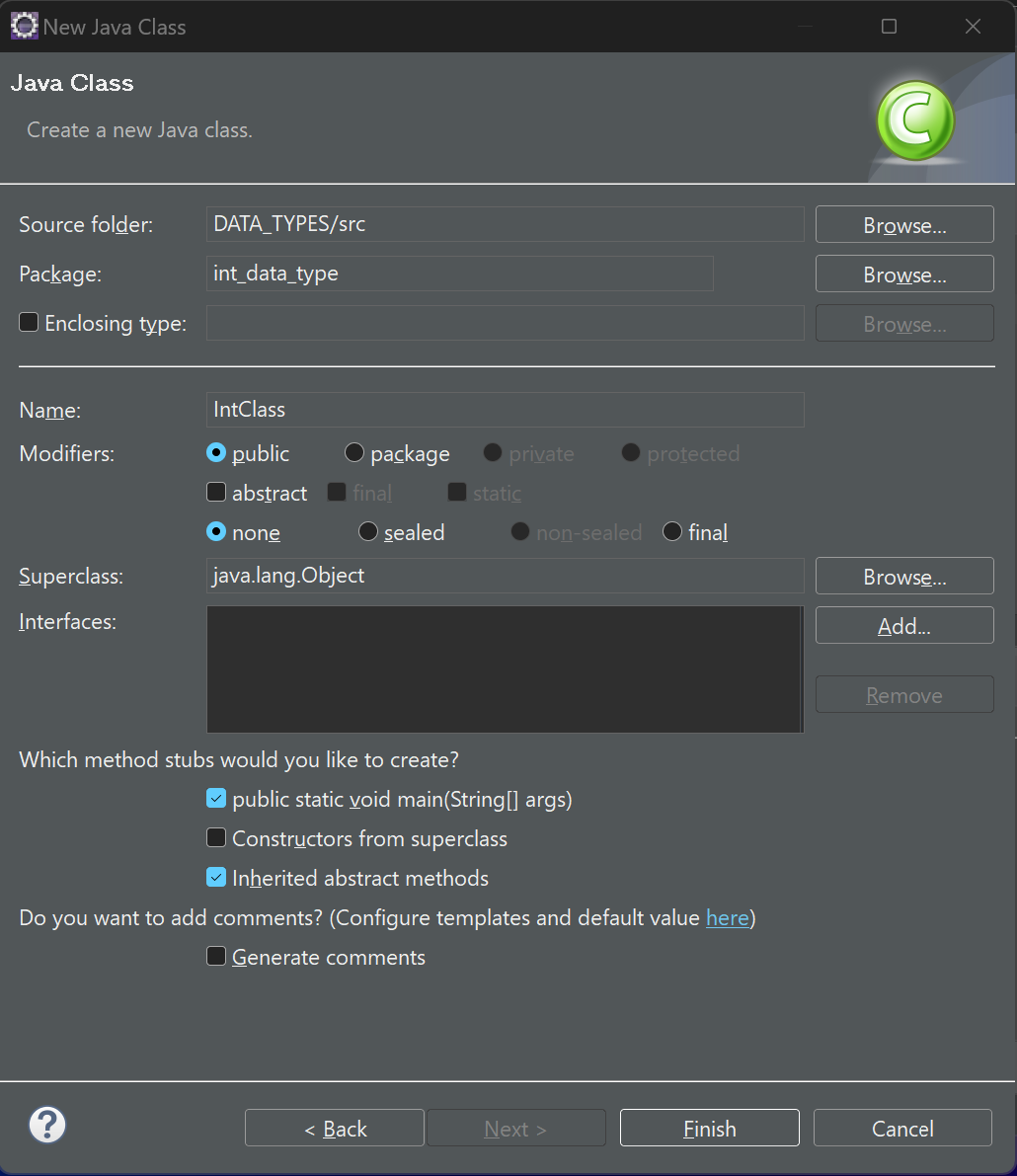
In the new window, enter a name that starts with a capital letter
-
In the sections with the heading that reads: ‘which method stubs would you like to create?’ select public static void main(String[]args)
-
Accept any pre-selected options and click finish.
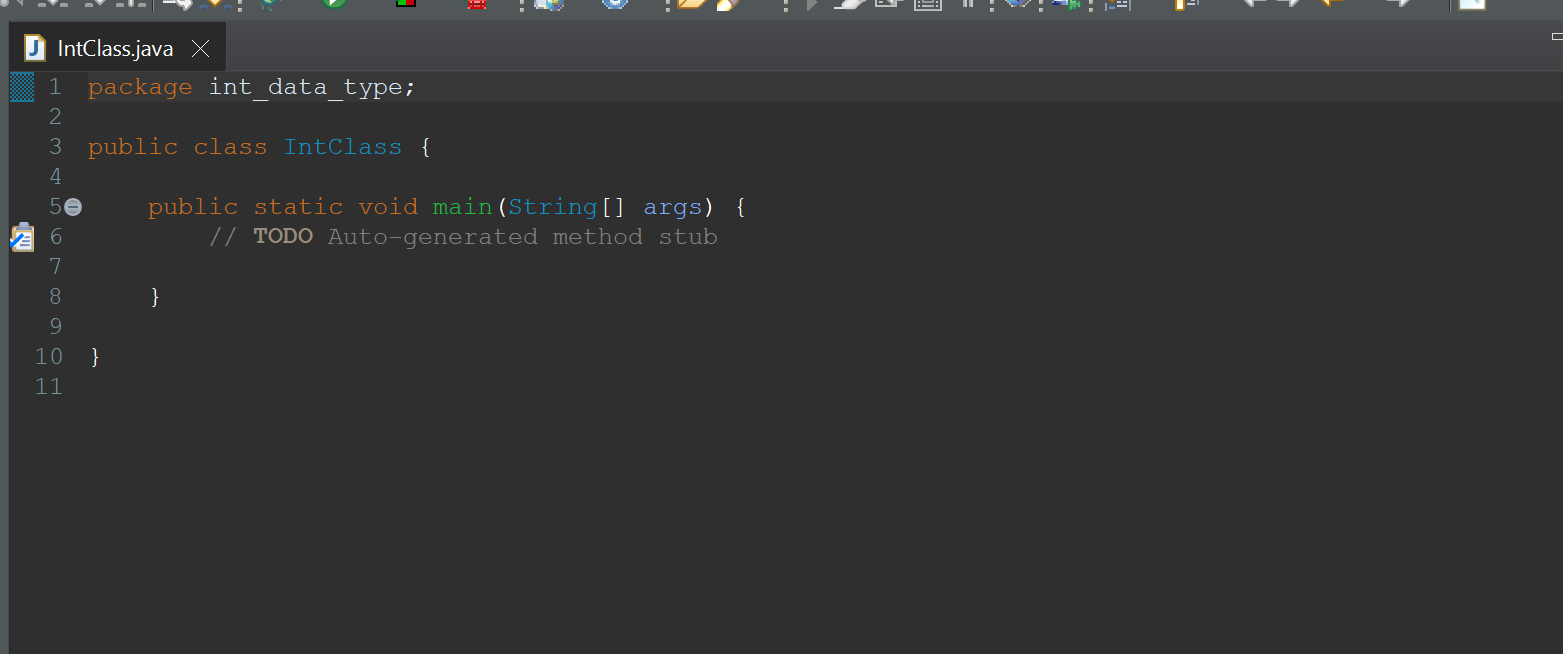
- Class you created will look similar to this: